
Authentication
Choose from four authentication methods depending on what you want to access. Each method works only with specific parts of the API:
| Method | Header | Works with | Scope |
|---|---|---|---|
| On-Premise API Key | X-EDGE-API-KEY | On-Premise API only | Full access |
| Cloud API Key | X-API-KEY | Cloud API only | Full access |
| JWT | Authorization: Bearer <token> | Cloud API and On-Premise API | Full access |
| App Token | Authorization: Bearer <token> | App section of the Cloud API only (no other endpoint) | Restricted: read-only access to the environments, Loci and zones you choose |
Cloud API base URLAll Cloud API examples below use
https://api.loconiq.com/v1. The On-Premise API runs on your Edge in your local network, so its base URL ishttp://<EDGE_IP>. See On Premises API for how to find the IP address.
API Key
Use API keys for automated systems. Two types are available, and each one works with exactly one API.
On-premises API keys
On-premises API keys access the On-Premise API of the Edge in the same network environment with low latency. These keys are not linked to any user and grant full access to the on-premises API. They do not work with the Cloud API. Send the X-EDGE-API-KEY header as part of your HTTP request to authenticate.
Example: List Environments on the Edge.
curl --request GET \
  --url "http://<EDGE_IP>/v1/infrastructure/environments" \
  --header "X-EDGE-API-KEY: <YOUR_ON_PREMISE_API_KEY>" \
  --header "Accept: application/json"
Manage your on-premises API keys with the following endpoints (these are part of the Cloud API, so authenticate with a cloud API key or JWT):
Example: create a new on-premises API key for an Edge.
curl --request POST \
  --url "https://api.loconiq.com/v1/infrastructure/edges/<EDGE_ID>/on-premise-api-key" \
  --header "X-API-KEY: <YOUR_CLOUD_API_KEY>" \
  --header "Accept: application/json"
The response contains the new key in the onPremiseApiKey field.
Where to find the On-premises API keys
To find the on-premises API keys, log in to the dashboard and click on an edge. The API key appears on the right side, where you can also remove or add new keys.

Cloud API keys
Cloud API keys access the Cloud API and are linked to a user. They do not work with the On-Premise API. Send the X-API-KEY header as part of your HTTP request to authenticate.
Example: List Edges of your organization.
curl --request GET \
  --url "https://api.loconiq.com/v1/infrastructure/edges" \
  --header "X-API-KEY: <YOUR_CLOUD_API_KEY>" \
  --header "Accept: application/json"
Manage your cloud API keys with the following endpoints:
Example: create a new cloud API key.
curl --request POST \
  --url "https://api.loconiq.com/v1/users/api-key" \
  --header "X-API-KEY: <YOUR_CLOUD_API_KEY>" \
  --header "Accept: application/json"
The response contains the new key in the key field.
Where to find the cloud (user) API keys
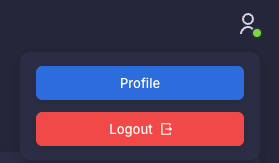
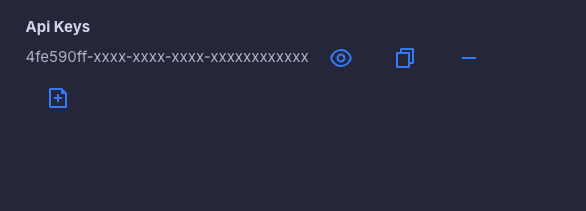
To find the cloud (user) API keys, log in to the dashboard and go to your profile. The API key appears on the right side, where you can also remove or add new keys.
JWT
A JWT (JSON Web Token) gives you the same access as a cloud API key, because it is linked to your user, but as a token. Unlike an API key, the token expires after a set duration. You can use it with the Cloud API and with the On-Premise API.
To create the token, use the Login User endpoint. The response contains the token in the jwtToken field.
curl --request POST \
  --url "https://api.loconiq.com/v1/users/login" \
  --header "Content-Type: application/json" \
  --header "Accept: application/json" \
  --data '{
    "email": "<YOUR_EMAIL>",
    "password": "<YOUR_PASSWORD>"
  }'
Send the token as a Bearer token in the Authorization header.
curl --request GET \
  --url "https://api.loconiq.com/v1/infrastructure/edges" \
  --header "Authorization: Bearer <YOUR_JWT>" \
  --header "Accept: application/json"
The same header works against the On-Premise API:
curl --request GET \
  --url "http://<EDGE_IP>/v1/infrastructure/environments" \
  --header "Authorization: Bearer <YOUR_JWT>" \
  --header "Accept: application/json"
App Token
Use app tokens to grant temporary access to users who do not have a LoconIQ account. Each token restricts access to specific environments, Loci, and zones, and is read-only. For example, if you integrate LoconIQ's localization system into your app, use an app token to limit a user's access to designated Locis and zones.
App tokens work only with the App section of the Cloud API (/app/...), for example List Environments. They do not work with any other Cloud API endpoint or with the On-Premise API.
Create an app token with the Create App Token endpoint. You must authenticate this call yourself with a cloud API key or JWT. environmentIds is mandatory. expireAt is optional: it sets the expiration date of the token (ISO 8601), and if you omit it, the token is valid for one day.
curl --request POST \
  --url "https://api.loconiq.com/v1/users/app-token" \
  --header "X-API-KEY: <YOUR_CLOUD_API_KEY>" \
  --header "Content-Type: application/json" \
  --header "Accept: application/json" \
  --data '{
    "environmentIds": [1],
    "zoneIds": [10, 11],
    "lociIds": [100, 101]
  }'

# Optional: set your own expiration date by adding
#   "expireAt": "2030-01-01T00:00:00Z"
# to the JSON body. Without it, the token is valid for one day.
The response contains the token in the jwtToken field. Hand this token to your end user (or embed it in your app) and send it as a Bearer token:
curl --request GET \
  --url "https://api.loconiq.com/v1/app/environments" \
  --header "Authorization: Bearer <YOUR_APP_TOKEN>" \
  --header "Accept: application/json"
Updated 12 days ago